
March 2026
Overview
This release delivers major new capabilities including an agent skills system and enhanced file viewing. We’ve also strengthened security with LLM-as-Judge guardrails and embedding-based prompt injection detection.Improvements & New Features
- File Viewer Enhancements - Improved the Excel/CSV file viewer with date formatting and Office Online support, added a local PPTX viewer using JSZip, and enabled document downloads for DOC, DOCX, and PDF files.


-
SIYA Can Now Learn and Use Specialized Skills
SIYA can now be equipped with skills — focused knowledge packs that teach it how to handle specific types of tasks with greater accuracy and consistency.
When you give SIYA a task, it automatically recognizes which skill applies and loads the right expertise before responding. For example, if you ask SIYA to work on a PowerPoint file, it activates its presentation skill and follows best practices for that specific task — no manual setup needed.
- Smarter task handling — SIYA picks the right approach automatically based on what you’re asking.
- Ready-made skills included — SIYA comes pre-loaded with skills for working with PDFs, Word documents, PowerPoint presentations, and Excel spreadsheets.
- Expandable — New skills can be added at any time to cover more domains, tools, or workflows specific to your team’s needs.
- Lightweight and efficient — Skills only load when relevant, so SIYA stays fast and focused regardless of how many skills are available.

- Integrations - Added new MCP server connections for SharePoint, and OneDrive, alongside conditional grouping for Microsoft 365 apps.

- Document View Security - Implemented an iframe embeddability check API accompanied by a blocked-site overlay for Document View.

UI Fixes & Enhancements
- Chat Interface - Fixed scroll flickering and button state issues during streaming, enhanced markdown processing and sanitization, and resolved duplicate message and title updates.
- Upload Experience - Fixed upload progress flickering, disabled the send button during active uploads, and improved image upload handling (threshold-based inline vs. metadata-only).

- Navigation & Routing - Updated navigation URLs for microapps (removing the ‘overview’ path), fixed the library URL pattern on the landing page, and resolved the file upload navigation button behavior.
Backend & Infrastructure
- Security Guardrails - Added an LLM-as-Judge security guardrail for pre-execution query filtering, an embedding-based guardrail pipeline for prompt injection detection, and a sensitive file security policy to all agent system prompts.
- Kubernetes & DevOps - Migrated MCP model configurations to dedicated K8s secrets, removed ConfigMaps to introduce an app-config fast-update workflow.
- Model Management - Fixed an auto-compact death loop for Bedrock/Azure models, added fallbacks for removed OpenAI models, and cleaned up duplicate Claude Sonnet 4.6 Bedrock definitions while adding the 1M context variant.
- Connection & Session Handling - Implemented a Server-Sent Events (SSE) heartbeat mechanism to prevent connection timeouts, and enhanced session management in chat history to prevent duplications.
- Logging & Telemetry - Introduced structured logging by auto-injecting session and trace context into Pino logs.
- Build & Deploy - Resolved a multer/@types/express version conflict via yarn resolutions, added a standalone build-and-push workflow, and fixed domain-config.json path resolution for multi-environment deployments.
- Workspace Fixes - Fixed a workspace path inconsistency that caused files to not appear in the frontend when using specific skills.
Performance — Guardrail Latency
Replaced the LLM-as-Judge approach with a locally-hosted embedding model for security guardrails. Instead of making an external LLM API call for every user message, the security and prompt injection guards now run locally — eliminating a network round-trip on every request.
A new 3-layer guard pipeline provides layered protection while keeping response times low:
- Layer 0 — Fuzzy keyword matching for known threat patterns
- Layer 1 — Embedding-based security guard
- Layer 2 — Embedding-based prompt injection guard
Admin Panel
- Organization Management - Administrators can create and configure organizations with support for two types: Ship Management and Non-Ship Management. The organization type determines whether fleet-level or group-level access is provisioned for users.
-
User Access Control - Each user is assigned granular access based on their organization’s configuration:
- Data Access — Fleet-level, Company-level, or Group-level access depending on the Ship Management setting.
- Document Access — MCP server module access for scoped to the specific modules granted to the user.
- VM Machine Toggle - A per-user toggle controls the landing experience on login. When ON, a new virtual machine is provisioned and the user lands on the chat page. When OFF, the user is directed to Micro Apps, Case Files, Data Insights, and Documents.
- Fleet & Group Setup - Admins can create fleets linked to specific organizations and independent groups for vessel grouping, enabling flexible vessel access mapping across users.
- Microapps Role-Based Access - Microapps data visibility is role-based, not user-based. Admins can configure which menus and data lists are accessible per role, and verify access by comparing admin and user views side by side.
Mail Casefile Intelligence
Managing vessel operations means dealing with a constant flow of emails — across maintenance, purchase orders, port operations, crew matters, compliance and more. Mail Casefile Intelligence changes that entirely. Every incoming email is automatically read, understood and filed into a Casefile — a living, organised record of a single operational topic. Related emails from different senders and threads are grouped together automatically. Each Casefile carries a running summary, a current status, an importance level and suggested next steps — so the full picture of any topic is always one click away, without reading a single email thread.1. Casefile Landing Page
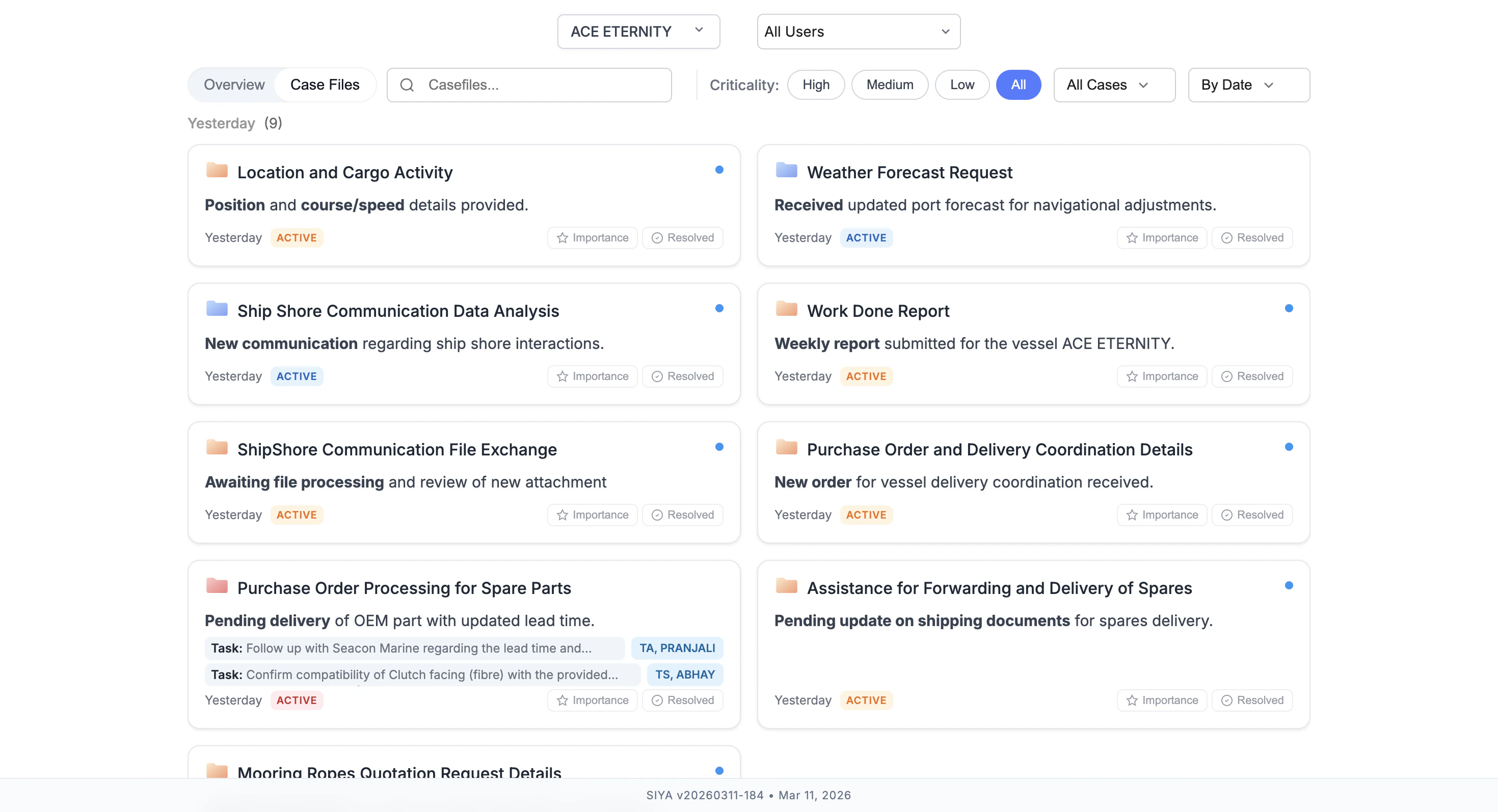
The Case Files view gives you a real-time operational dashboard for each vessel. Casefiles are displayed as cards, grouped by recency — Today, Yesterday, This Week, Last Week, and Older — so the most relevant topics are always visible at the top. Each card shows:- Topic title — what the casefile is about
- One-line status — the latest development, auto-generated from the most recent email
- Timestamp — when it was last updated
- Active / Resolved status — the current state of the topic
- Suggested tasks — for high importance casefiles, recommended next actions with assignee tags are shown directly on the card
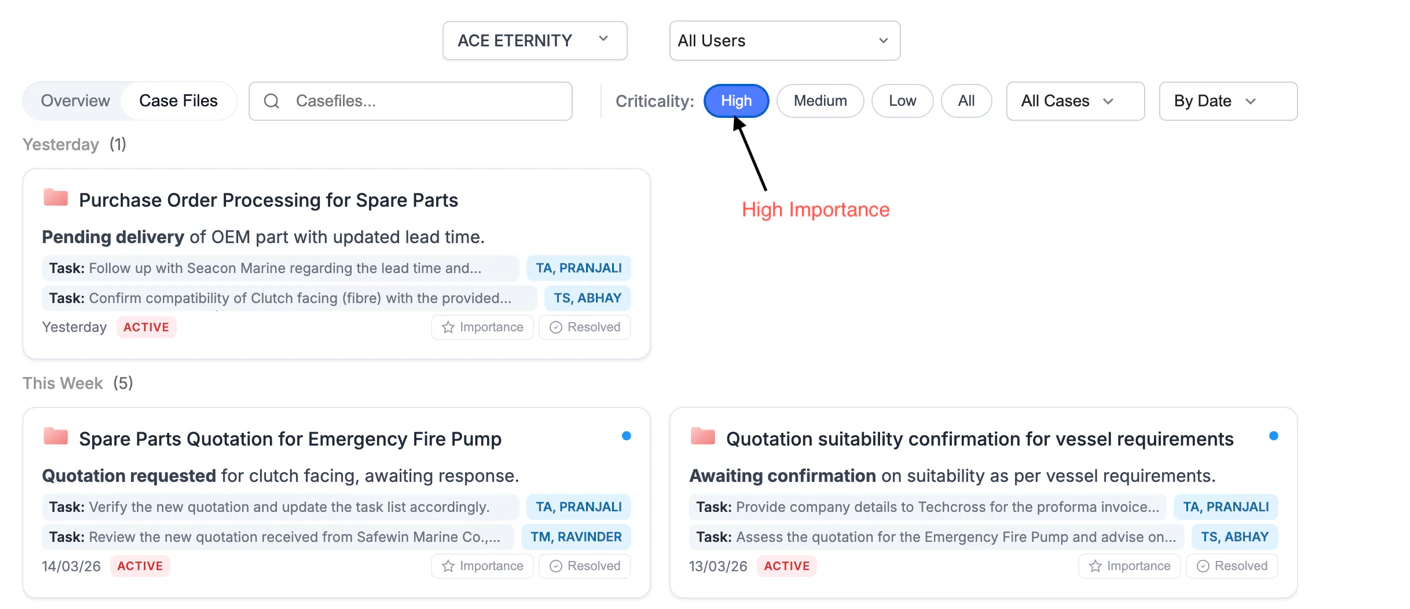
2. Importance Filtering — High / Medium / Low
Every Casefile is automatically assigned an importance level — High, Medium, or Low — based on the nature of the topic, urgency signals in the emails and operational sensitivity. The criticality filter lets you instantly surface only what matters most. Selecting High narrows the view to casefiles that need immediate attention, with suggested tasks and assignees shown prominently on each card so your team can act without digging further.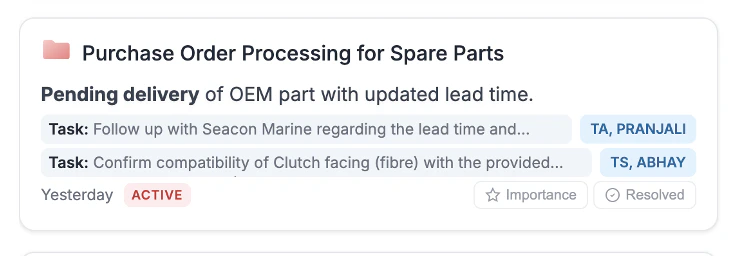
3. Category Filter — Organised by Operational Type
All casefiles are automatically categorised by operational type. The category dropdown lets you filter across 20+ predefined categories including: Purchase · Maintenance · Defect · Charter Party · SIRE Report · PSC Inspection · VIR Report · Work Done Report · Class Survey & Certificate Status · Vessel Issue · IHM · LO Report · FO Report · TMSA · Internal Audit · Monthly Budget · and more.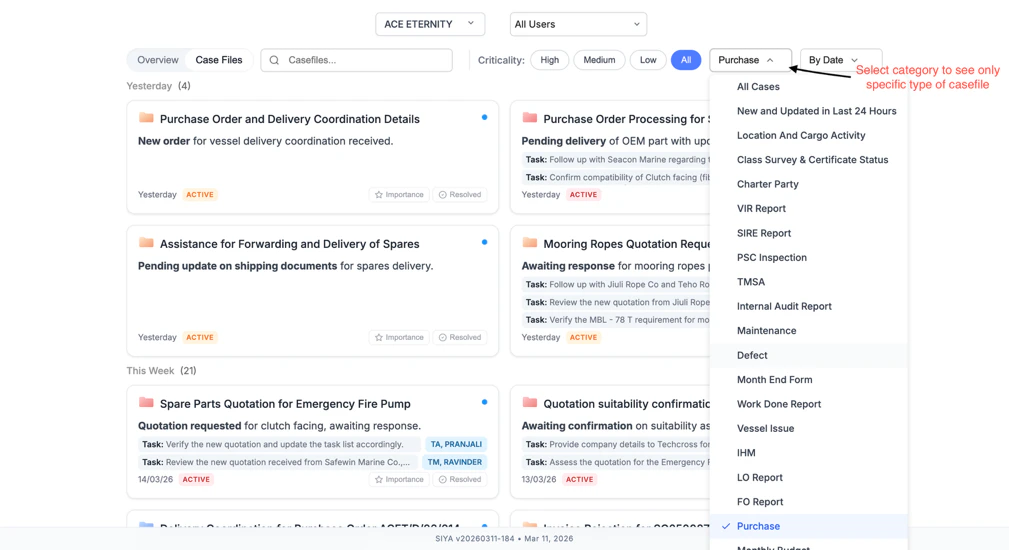
4. Search
A free-text search bar lets you find any casefile by topic name or keyword. Results are returned across all time periods and grouped chronologically — making it easy to trace back any topic, no matter how old, in seconds.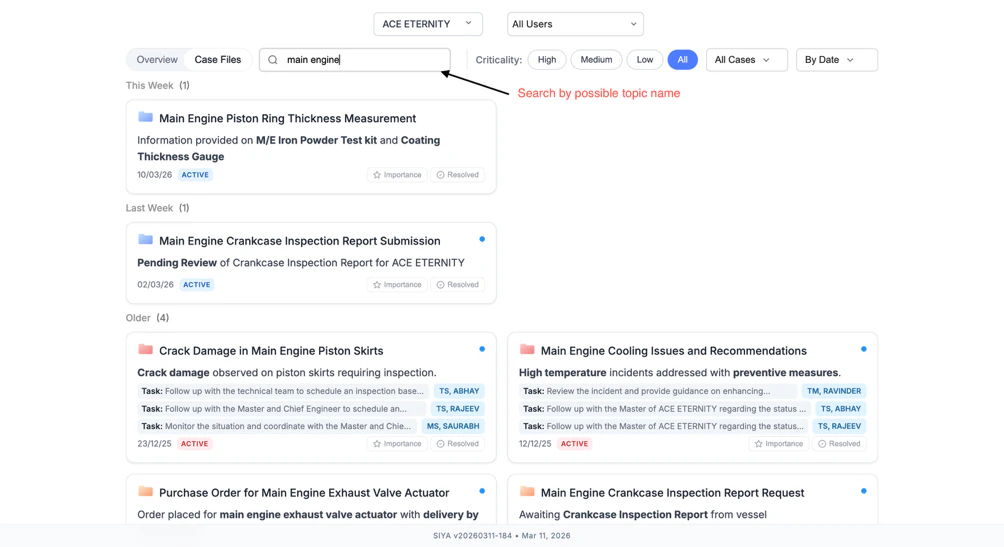
5. Casefile Detail View
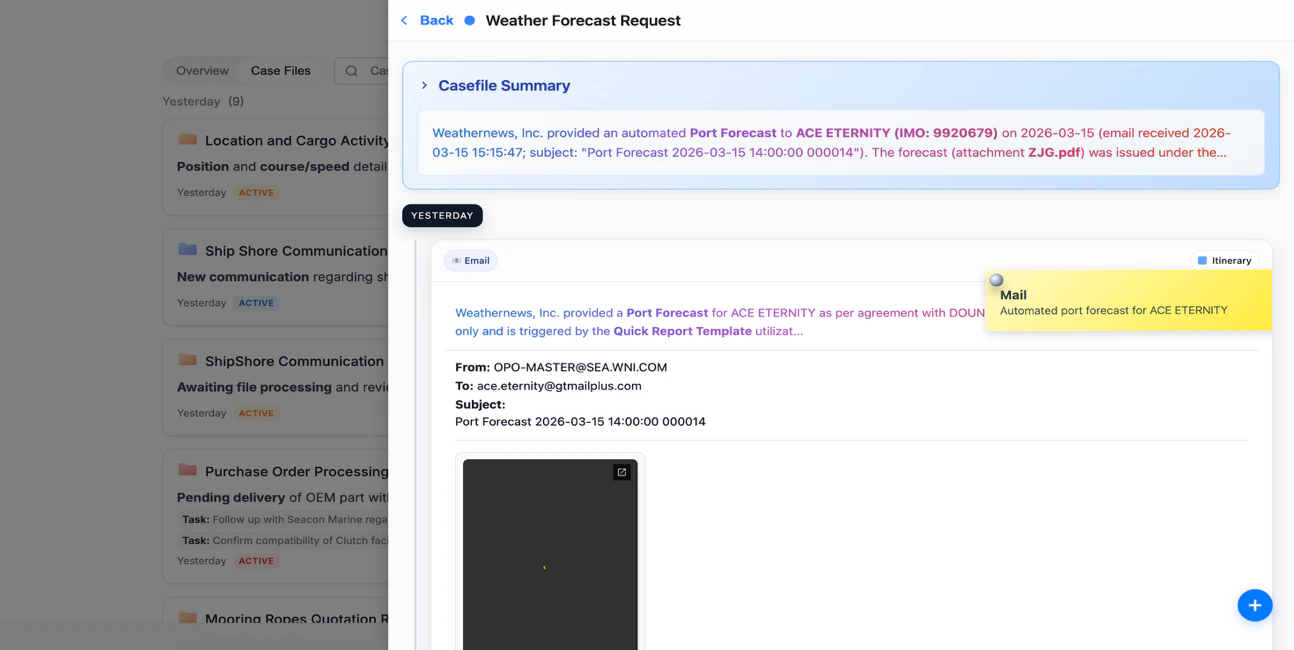
Clicking any casefile opens a detailed panel with everything you need to understand and act on a topic:- Casefile Summary — an AI-generated paragraph that captures the full context of the topic — what happened, who is involved, and where things currently stand
- Email thread — all related emails listed chronologically, each with a short AI summary, tag and importance indicator
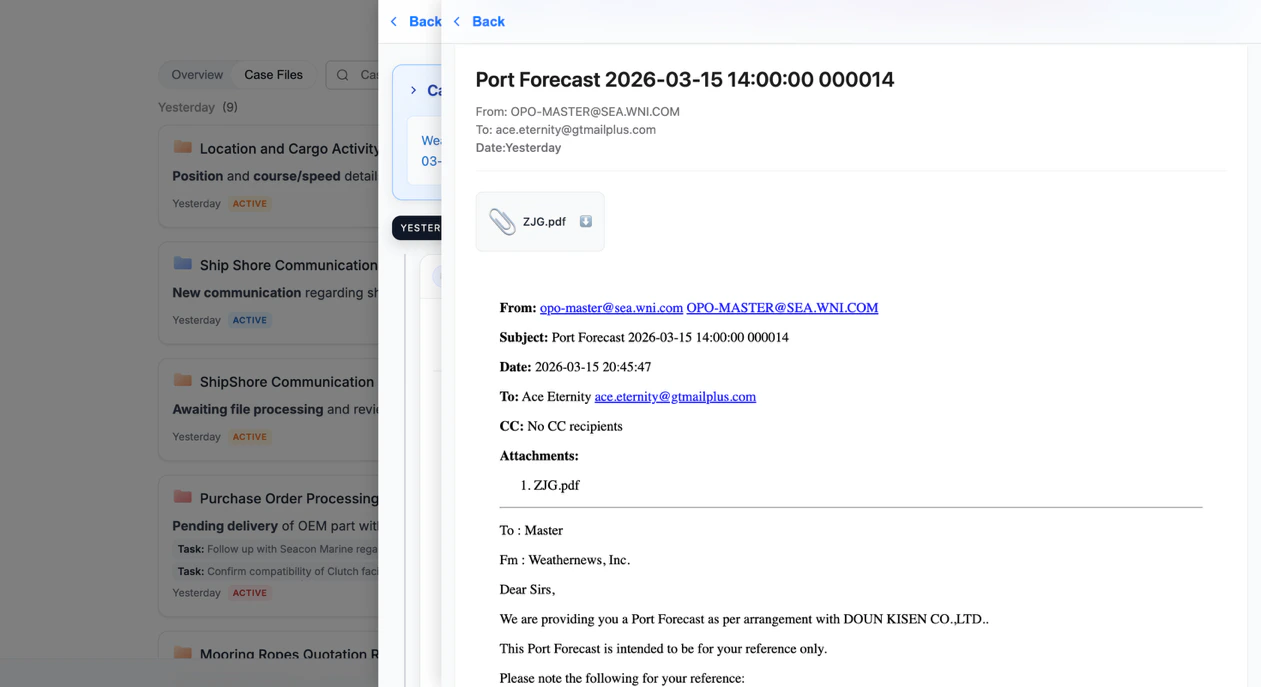
- Full email body — click any mail to read the complete original email including From, To, Subject, Date, CC and body
- Attachments — files attached to any email in the thread are visible and downloadable directly from the casefile
6. Resolved Status
Any casefile can be marked as Resolved directly from the card — no need to open it. This keeps the active list clean and focused, and provides a clear record of what has been closed and when.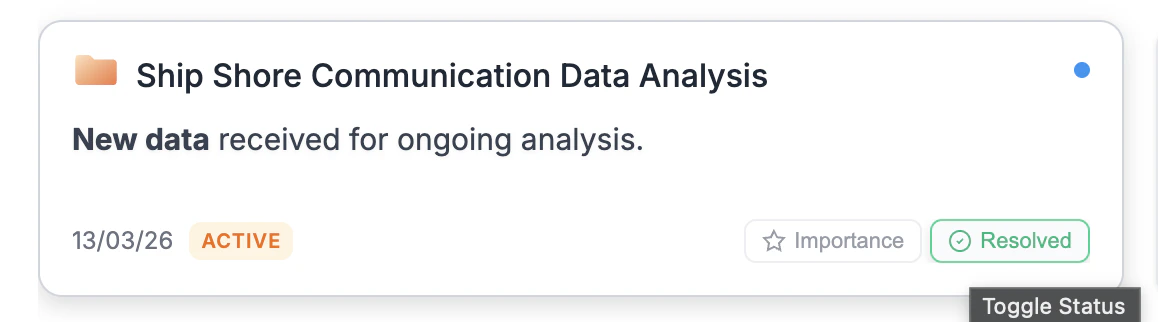
Data Engineering
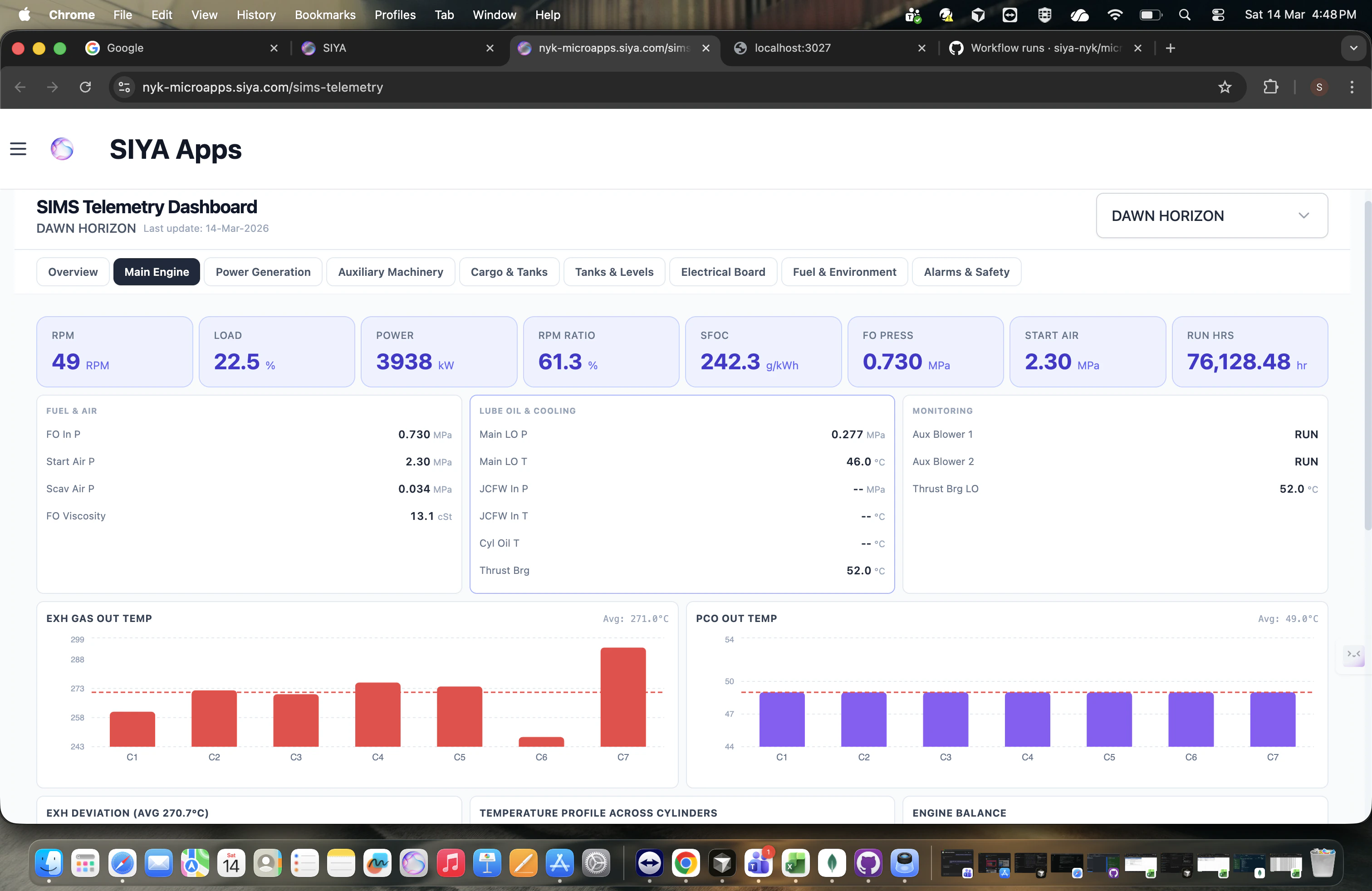
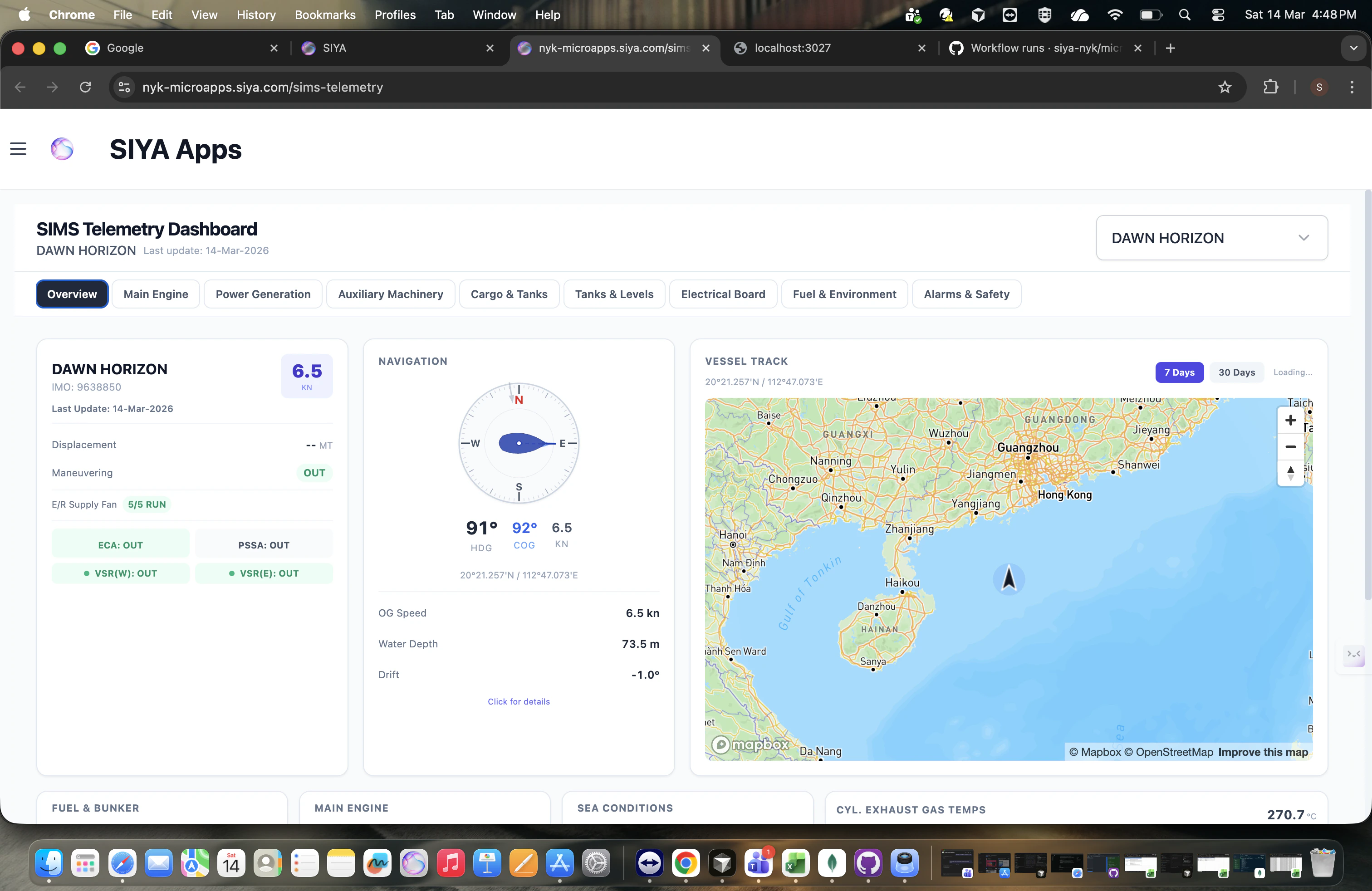
- SIMS Telemetry Dashboard A new real-time vessel telemetry monitoring system that visualizes SIMS raw parameters through 9 specialized dashboards — Overview, Main Engine, Power Generation, Electrical Board, Cargo & Tanks, Tanks & Levels, Fuel & Environment, Auxiliary Machinery, and Alarms & Safety.
- Vessel overview with live navigation compass, GPS vessel tracking, and regulatory zone indicators
- Per-cylinder engine performance analysis with deviation detection and balance radar charts
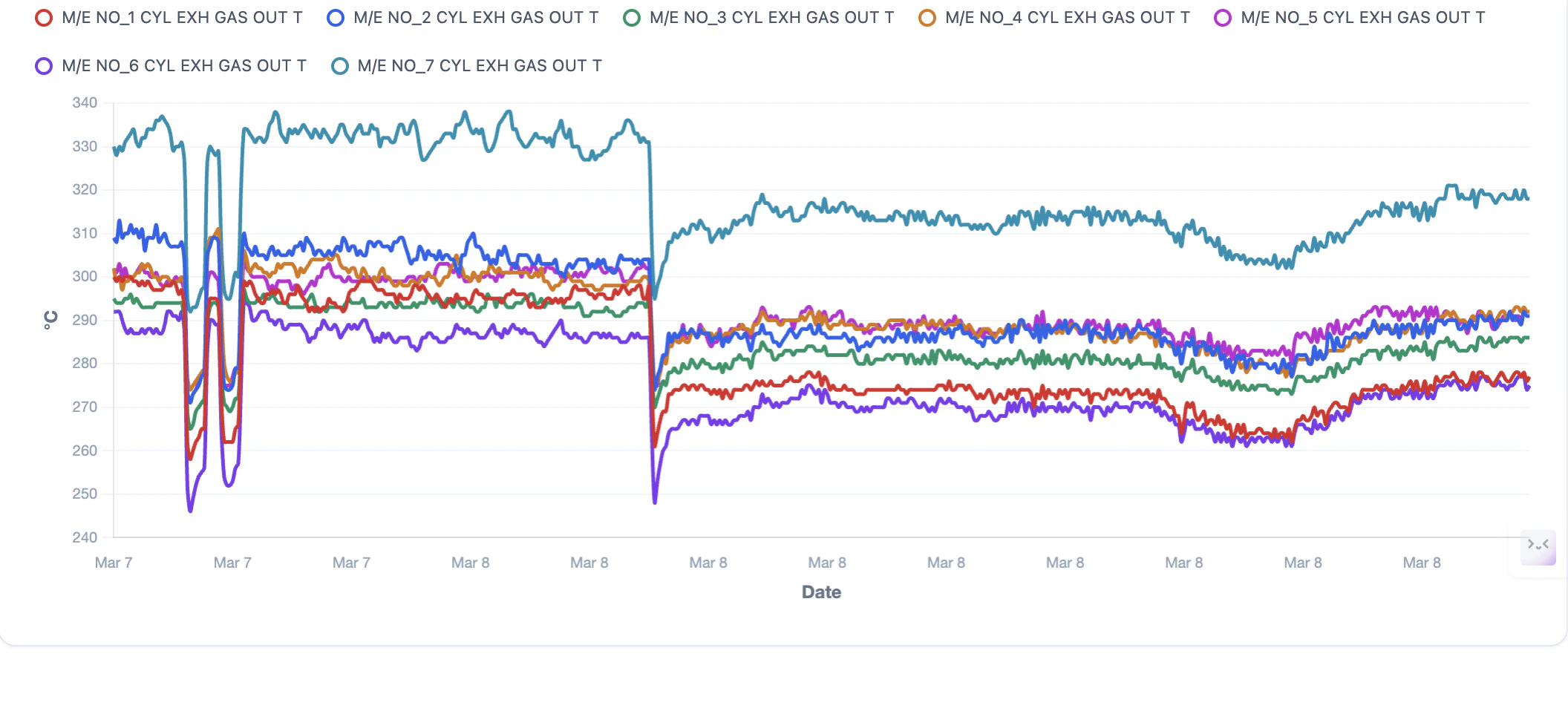
- Multi-parameter interactive trend charts with up to 2 years of historical data
- System-wide alarm aggregation with automatic criticality classification
- Tank level monitoring across cargo, ballast, fuel, fresh water, and waste systems
- 12 API endpoints serving telemetry data, trends, vessel tracking, and schema exploration
- Intelligent parameter categorization across 14 categories with automatic status detection
- Optimized MongoDB aggregation with indexing, caching, and downsampling
- JWT-based authentication with vessel-level access control at company, fleet, and group levels
- User-specific vessel selection with configurable vessel lists